Quick view
Quick view lets a shopper open a product in a modal straight from a card in any listing (collection grid, featured products, search results) without leaving the page. It is controlled in the global Product cards panel under Theme settings, so it applies to every product card across your store.
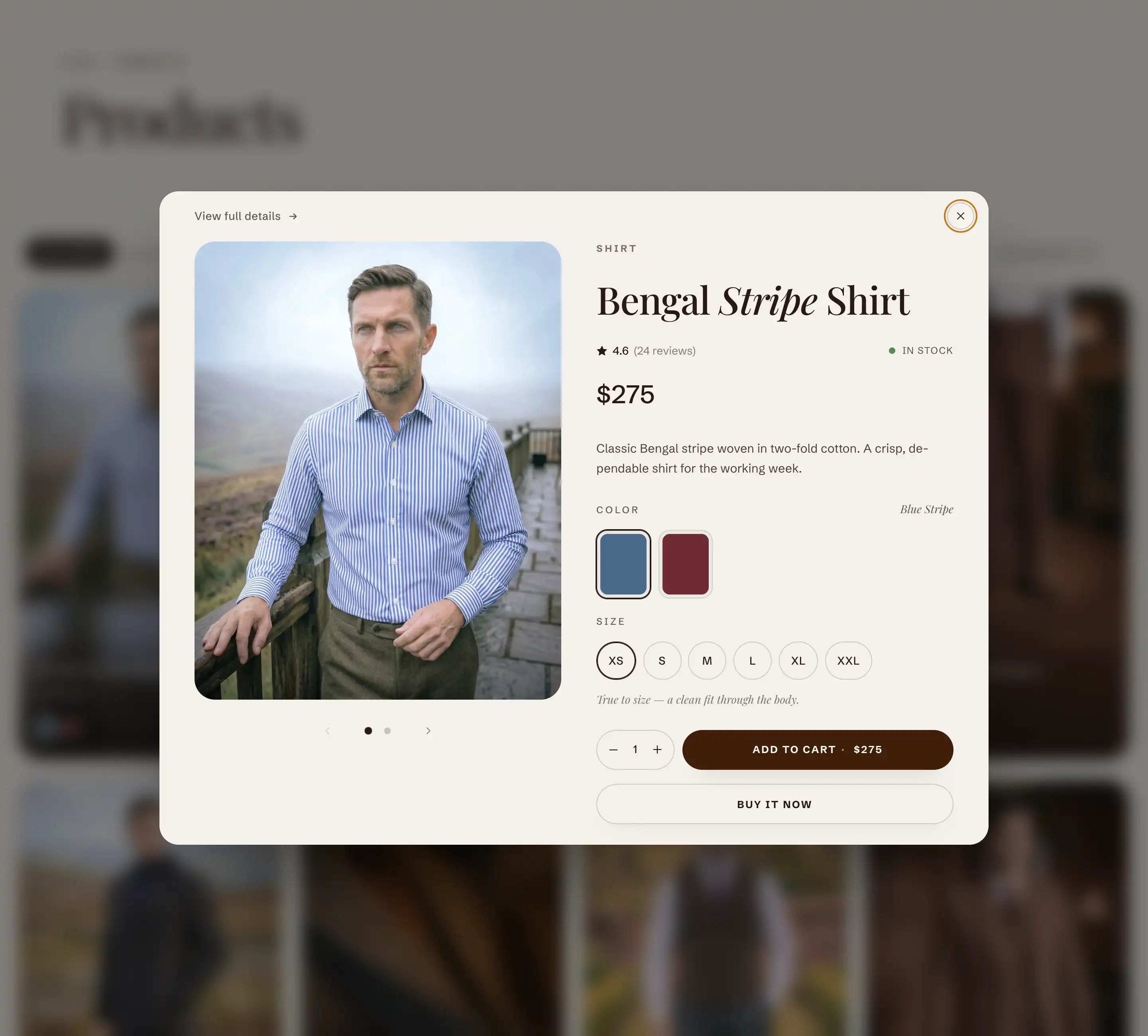
What the shopper sees
When quick view is on, each product card shows two round action buttons on hover. The eye icon opens quick view. The bag icon adds the item to the cart.
Inside the quick view modal the shopper can:
- See the product gallery, title, price, and description.
- Switch variants (for example size or color).
- Add the item to the cart. The modal closes and the cart drawer opens.
- Open the full product page with the View full details link.
The product details inside the modal are the same ones from the real product page, so variant switching and add to cart behave the way they do on the full page.
Turn it on
- In the theme editor, open Theme settings (the gear icon at the bottom of the left panel).
- Open the Product cards panel.
- Find the Quick add heading.
- Turn on Show quick add button.
Settings
These controls sit under the Quick add heading in the Product cards panel.
- Show quick add button: Shows the action buttons (quick view and add to cart) on every product card. Turn it off to hide both buttons. This is on by default.
- Show quick add on mobile: Shows the action buttons on phones and small screens too. By default the buttons appear only on larger screens, where shoppers hover. This control appears only when Show quick add button is on, and is off by default.
Tips
- The same Show quick add button setting controls both the quick view eye button and the add to cart bag button. There is no separate toggle for quick view alone.
- The action buttons normally appear on hover, which phones do not have. Turn on Show quick add on mobile if you want shoppers on phones to see the buttons.
- If a variant is sold out, the add to cart button on the card is disabled for that variant. The shopper can still open quick view to pick an available variant.