Product details section
Product details is a full-width section for a product page. It pairs a short content area (an eyebrow, a statement, a caption) with an expandable list of Detail item rows, each with an icon, a label, and a body the shopper opens like an accordion. Use it for the facts every product on the template shares: materials, care, shipping, returns. On desktop the content sits beside the list; on phones they stack.
It complements the Collapsible row blocks inside the product info column: collapsible rows live between the price and the buy buttons, while Product details is its own band further down the page, with room for a statement next to it.
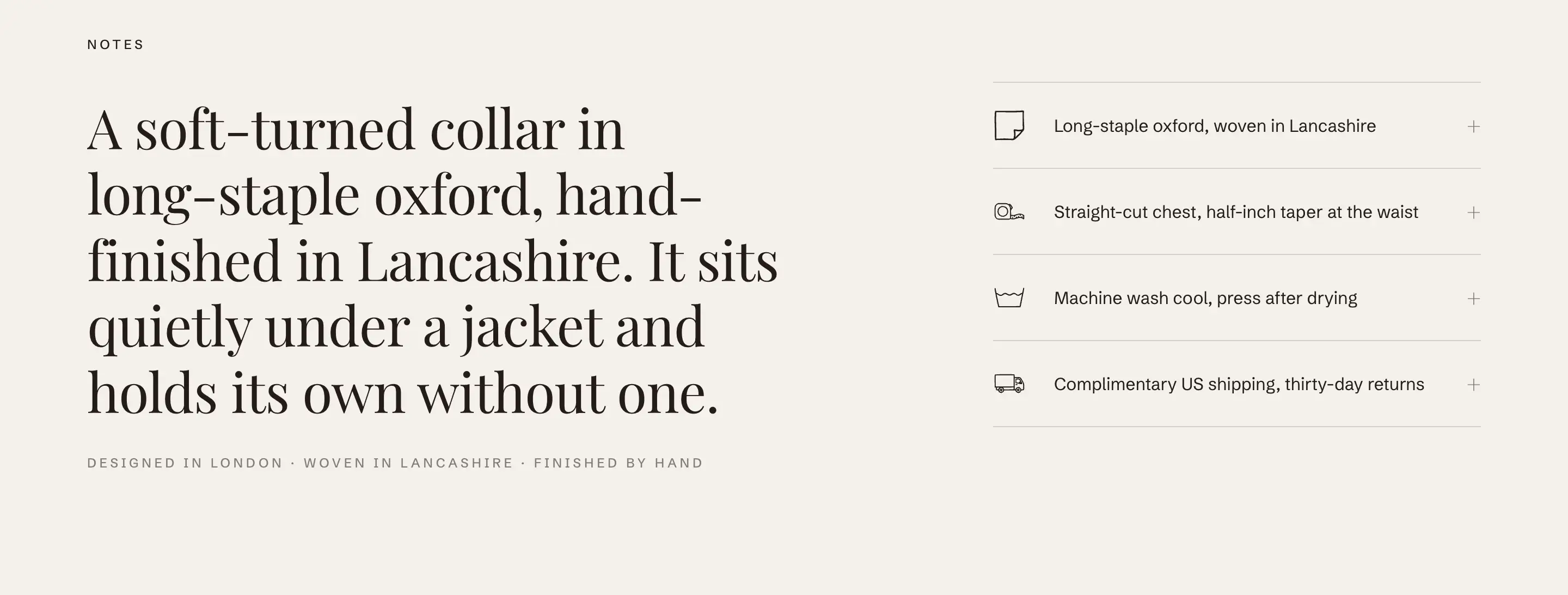
Add the section
The section is available on product templates only.
- In the theme editor, switch the page dropdown to a product.
- Click Add section, open the Products group, and choose Product details.
It arrives with four example rows (Material and origin, Dimensions and weight, Care instructions, Shipping and returns) and a Content area holding an eyebrow, a statement, and a caption.
The content area
The Content area is a standard content slot: open it in the block list and edit the blocks inside, or add your own. It supports the usual content blocks and shares the section's colors and spacing. See Sections, blocks, and groups for how content slots work.
Detail item rows
Each row is a Detail item block. Add more with Add block, drag to reorder, and select one to edit it.
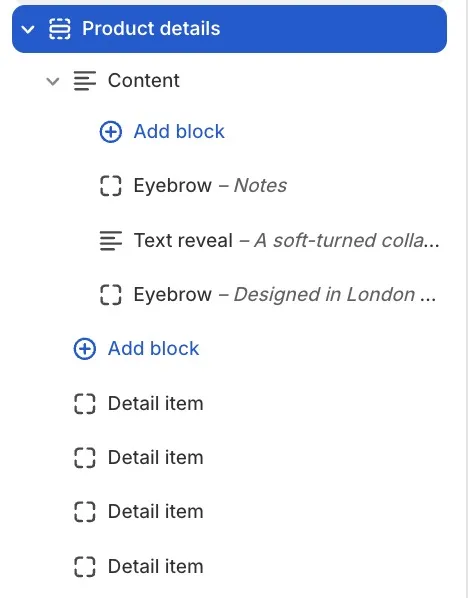
- Icon: the small symbol at the start of the row, picked from the same grouped list the Icon block uses (Shipping & delivery, Payments, Materials & care, and so on).
- Label: the row's title, always visible.
- Body: the text revealed when the shopper opens the row. Supports formatting, lists, and links.
- Open by default: shows the row already expanded when the page loads. Off by default.
Section settings
This section uses the standard Color scheme, Padding, and Margin controls, including separate mobile values. See Common section settings.
Tips
- The section's text is part of the product template, so every product using that template shows the same rows. Keep the content template-wide (care, shipping, guarantees). For text that changes per product, use the product description or Collapsible rows fed from the product itself.
- Leave Open by default off for most rows. A list that starts fully expanded reads as a wall of text; let the labels do the scanning work.
- The preset's four rows are a starting checklist, not a limit. Rows about your guarantee, sizing help, or sustainability fit the same pattern.