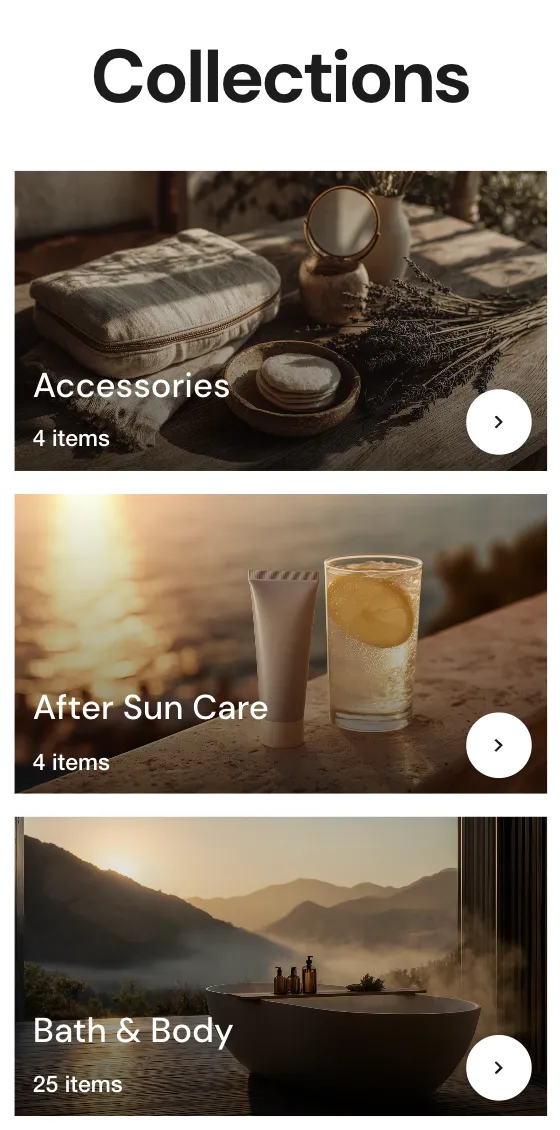
The Collection List section is the primary section used on the "All Collections" page (/collections). It automatically lists your store's collections in a grid format with built-in pagination.
Sorting Logic
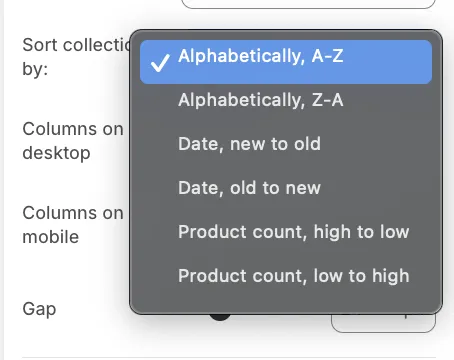
You can control the order in which your collections appear using the Sort collections by setting. This is particularly useful for automatically organizing large catalogs without manual reordering.
Available sorting options:
-
Alphabetical: A-Z or Z-A.
-
Date: Newest to oldest or Oldest to newest.
-
Product count: Automatically sorts collections based on how many products they contain. For example, selecting Product count, high to low will prominently display your largest collections first.
Layout & Design
Grid Settings
-
Columns on desktop: Choose between 3 to 5 columns per row.
-
Columns on mobile: Choose between 1 or 2 columns.
Card Aspect Ratio
To ensure a uniform and professional look, you can force all collection images to adhere to a specific shape, regardless of the original image dimensions:
-
Square (1:1)
-
Portrait (0.8:1)
-
Landscape (1.778:1)
This setting prevents the "misaligned grid" effect that occurs when collection featured images vary in size.