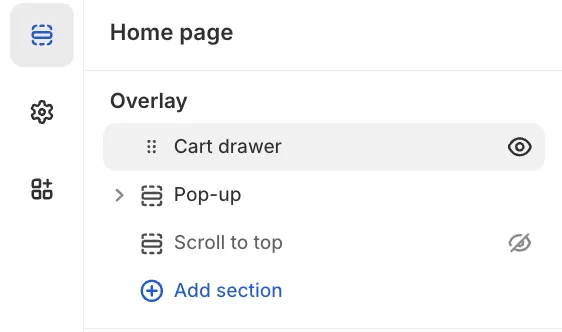
Freedom allows you to choose between two distinct shopping cart experiences depending on your store's needs.
The Drawer option is the recommended default; it opens a slide-out panel from the side whenever an item is added, allowing customers to manage their cart without leaving their current page.
Alternatively, the Page option redirects the customer directly to the dedicated /cart page immediately after adding a product.
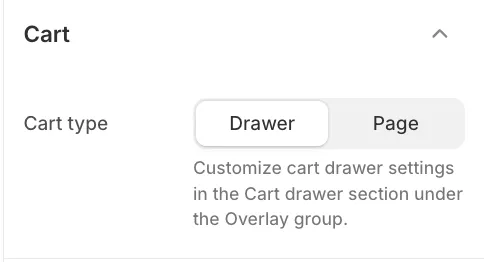
Customizing the Cart Drawer
It is important to note that while you select the cart style in the general settings, the actual content and specific features of the drawer are managed separately.
To configure elements such as the Cart Note, Vendor toggle, or Discount code, you need to navigate to the Sections panel in the Theme Editor. Look for the Cart drawer section located within the Overlay group to access these detailed settings.