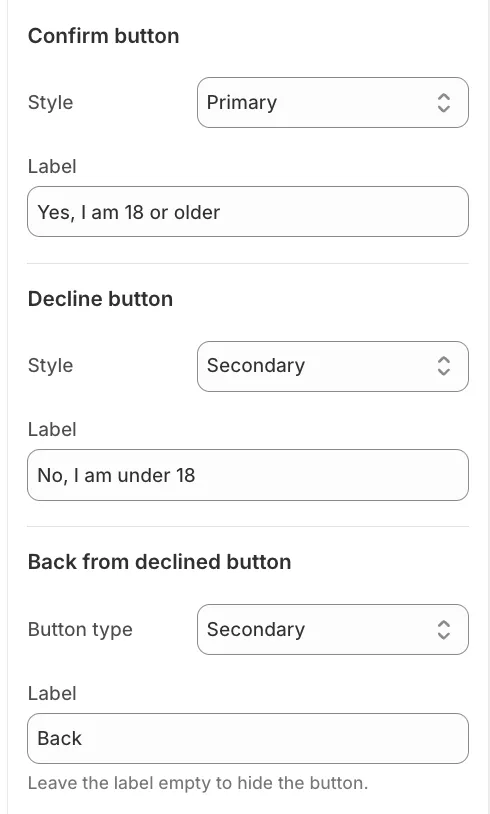
If your store sells age-restricted products, you can enable a mandatory pop-up that requires visitors to confirm their age before they can browse your content.
Setup and Editor Visibility
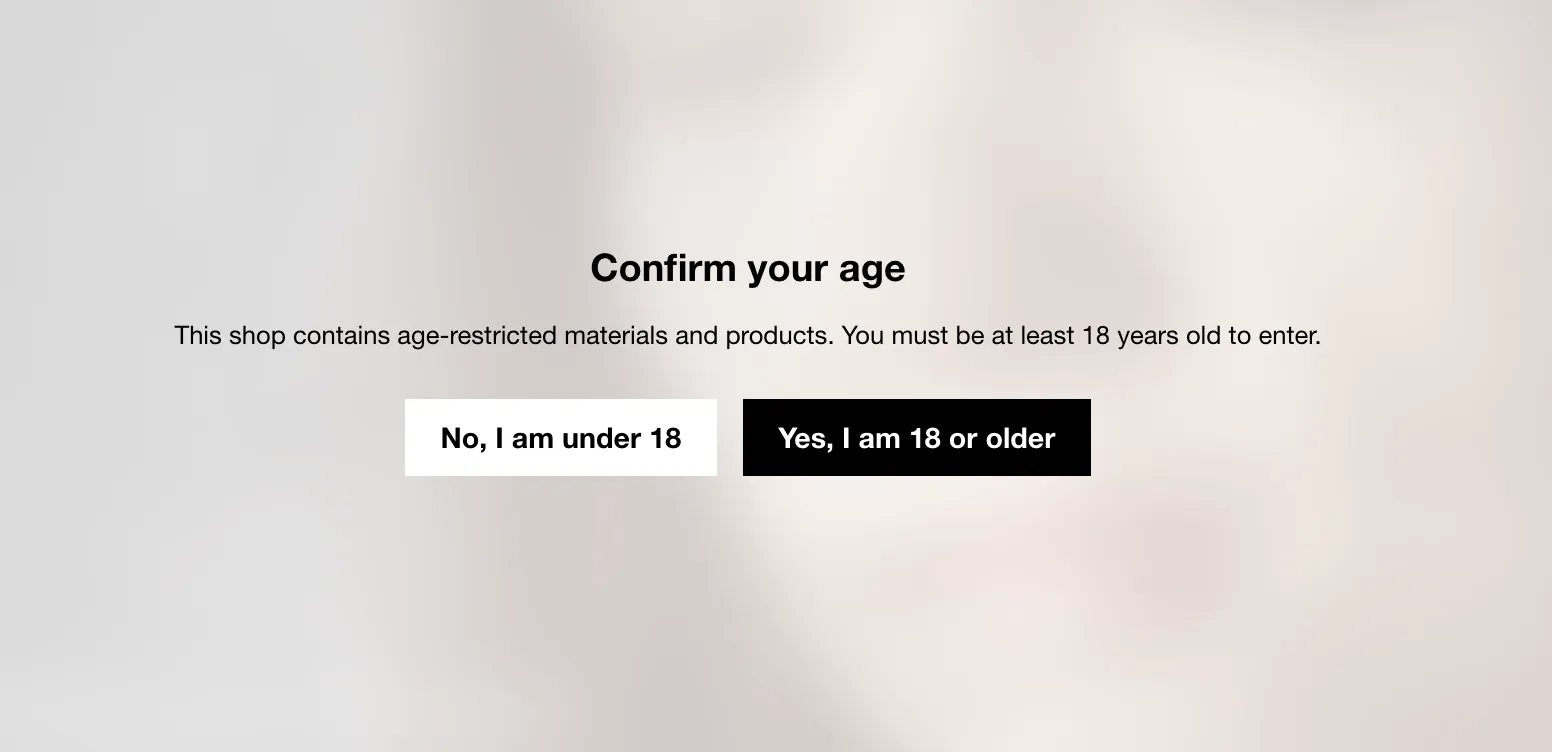
To activate the feature, check Enable age verification. Since the verification popup covers the entire screen, you must also check Show age verification in theme editor to visualize and customize your changes in real-time.
Important: Remember to uncheck this setting when you are finished editing so you can access other parts of the store without the popup blocking your view.
Configuration and Design
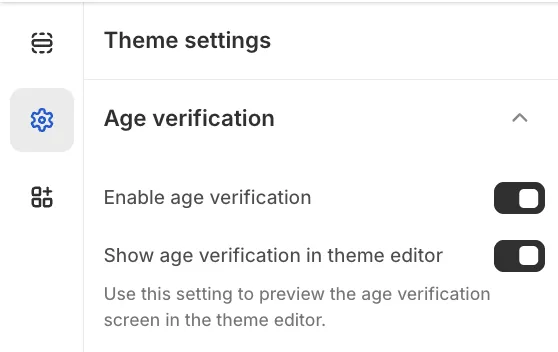
You can fully customize the message displayed to visitors using the Title and Text fields; the text area supports rich text formatting if you need to add links or emphasis.
To ensure the popup matches your brand identity, select a Color Scheme (e.g., Scheme 1 or 2), which controls the background and text colors of the modal.
Buttons and Logic
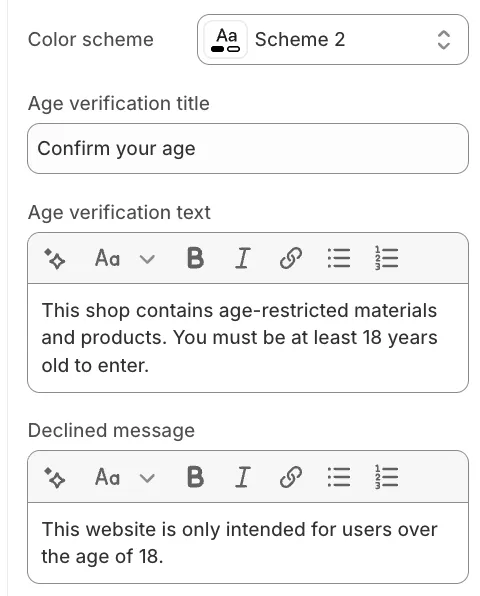
The popup presents two main actions.
The Confirm button grants access to the store and saves the user's confirmation via a cookie for 30 days (so they don't have to verify again).
The Decline button denies access and displays the Declined message (e.g., "This website is only intended for users over 18").
If a user declines by mistake, a Back button appears below the message, allowing them to return to the initial verification screen. You can customize the labels and styles (e.g., Primary, Secondary, Link) for all three buttons.