Freedom features a suite of performance-optimized animations designed to make browsing feel smooth and engaging. These effects guide customer attention and create a polished, high-end feel as users navigate your store.
Card Reveal Animation
When Enable card reveal animation is active, items such as product cards, collection cards, and blog posts will glide gracefully into view as the user scrolls. The default behavior creates a subtle "Slide Up" effect. However, for specific blocks that support directional layouts (such as Media Cards), you may find options within the block settings to configure cards to slide in from the left or right side.
Media Loading Animation
To enhance the perceived speed of your store, the Enable media loading animation setting displays a blurred background with a subtle "shimmer" effect while high-resolution images are being fetched. This prevents the page from looking empty while loading and ensures a seamless visual experience.
Content Reveal Animation
The Enable reveal animation setting acts as a "master switch" for the theme's content effects. Enabling this globally activates the system where text and interactive elements fade in and unblur as they enter the viewport.
Section-Level Controls
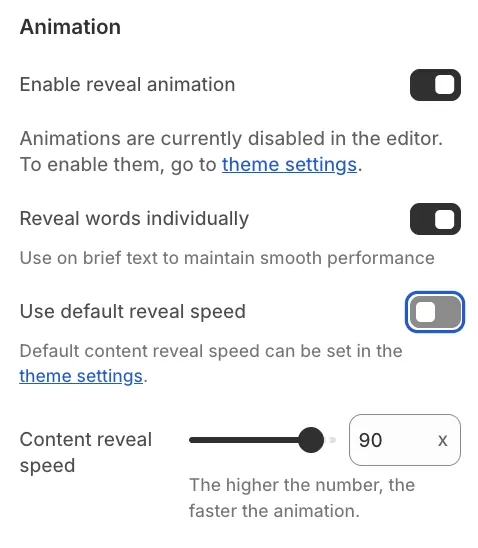
Enabling this global setting reveals animation options within individual theme sections. If disabled globally, these settings remain hidden in the editor. When active, you can manage animations on a per-section basis, allowing you to disable the effect for specific areas of your store. In supported sections, you can also enable an option to reveal words individually. Furthermore, while sections utilize the global animation speed by default, you can override this to define a custom speed for specific elements.
Theme Editor Behavior
Designing a store often involves making frequent changes and refreshing the preview. To speed up your workflow, we recommend checking Disable animations in theme editor. This prevents animations from playing repeatedly every time you modify a setting, allowing for a faster editing experience. This setting applies only to the Theme Editor and does not affect the live store.
