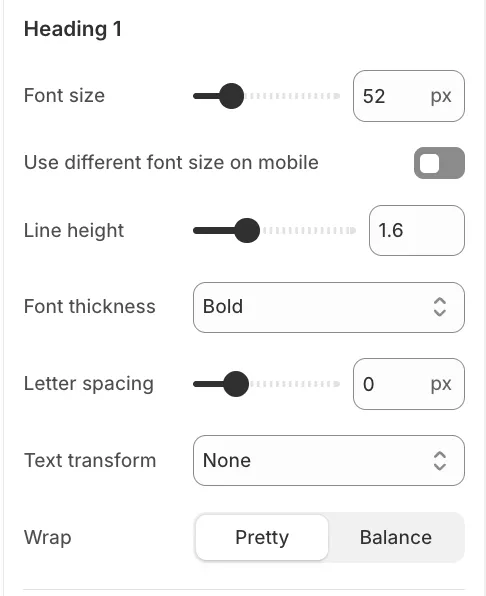
Freedom provides a flexible typography system based on global font settings and reusable text presets. This approach ensures visual consistency across the store while still allowing individual blocks to use custom typography when needed.
Global Settings
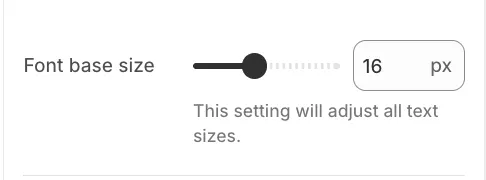
These settings define the overall typographic foundation of the theme.
-
Base font size: Controls the overall text scale across the store (12px–22px). All text scales proportionally based on this value.
Global Fonts
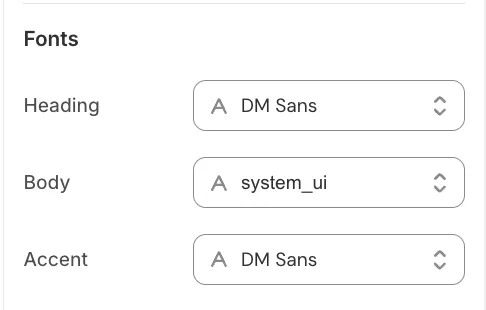
These fonts are used by text presets throughout the theme.
-
Heading font: Used for all headings and titles.
-
Body font: Used for paragraphs, navigation, and general content.
-
Accent font: Used for highlighted or decorative text elements.
Text Presets
Instead of configuring typography separately in every block, Freedom uses text presets. When adding a text-based block, you can select which preset the block should use.
Alternatively, you can choose Custom to define typography settings specifically for that block without affecting global presets.
Each preset defines the typography for a specific text role, such as:
-
Paragraph / Caption: Used for body text and small details.
-
Headings (H1–H6): Used for structural titles.
-
Highlight: Used for accentuated or emphasized text.
Configurable Properties per Preset
Each text preset can be customized globally using the following properties:
-
Font size: Separate values for Desktop and Mobile.
-
Line height: Controls vertical spacing between lines.
-
Letter spacing: Adjusts spacing between characters.
-
Font weight: Normal, Medium, Bold, or Bold on overlay (applies a heavier weight only when text is displayed over images or overlay backgrounds).
-
Text transform: Uppercase, Lowercase, or Capitalize.
-
Text wrap: Controls how text breaks across lines:
-
Pretty: Improves line breaks for better visual rhythm.
-
Balance: Distributes text more evenly across lines and helps prevent single-word lines (widows), especially in headings.
-